Duplicate the Notion Database Template
Step by step guide to duplicate the Notion database template into your own workspace after purchase.

Step 1. Open the Template Link
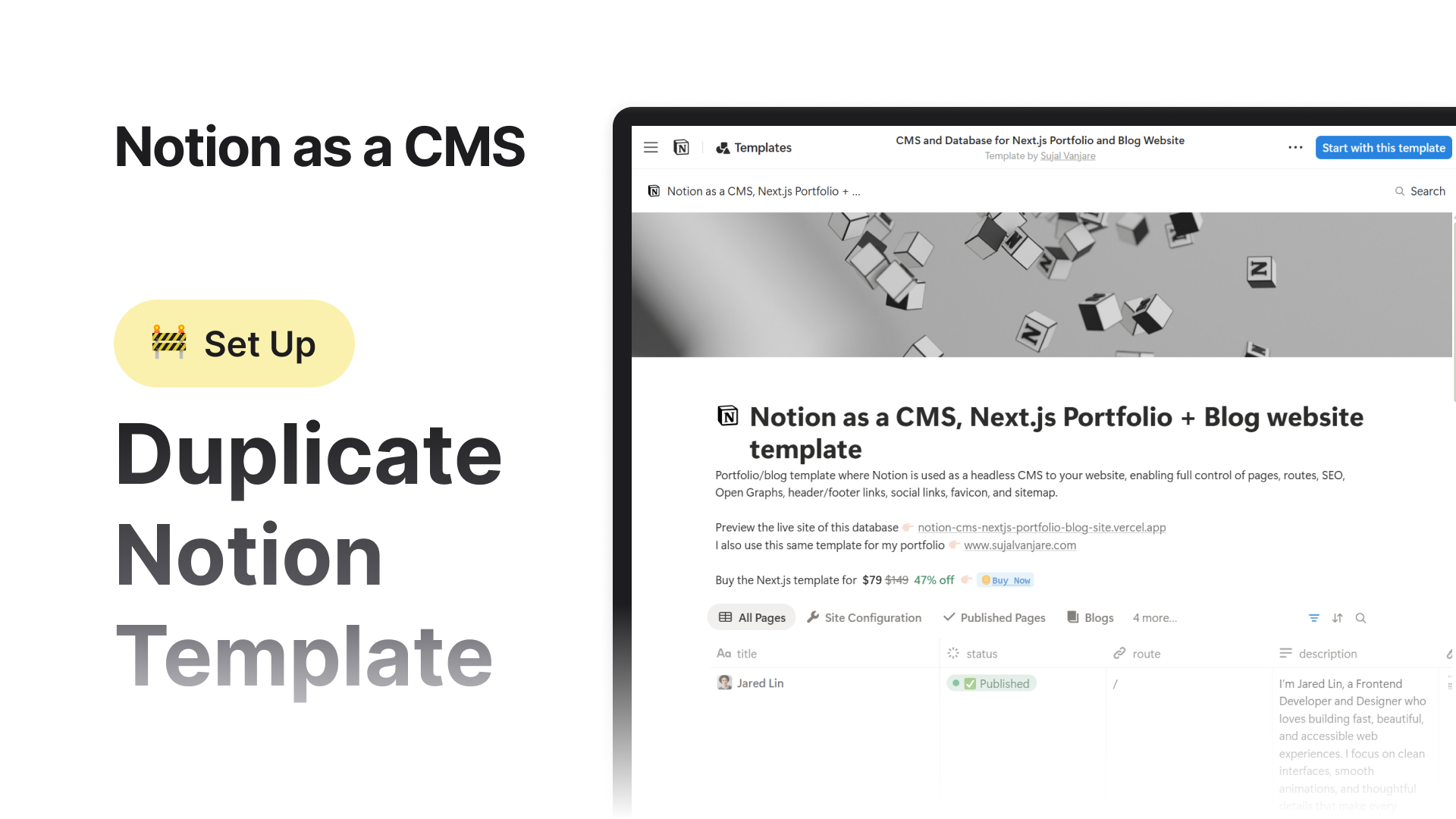
The Notion database template is officially listed on the Notion Template Marketplace. You can find it here.
Open the Notion template link below in your browser. Make sure you are logged in to your Notion account - this is important. If you are not logged in, Notion will prompt you to sign in first.
A collaborative AI workspace, built on your company context. Build and orchestrate agents right alongside your team’s projects, meetings, and connected apps.
You will see the following page 
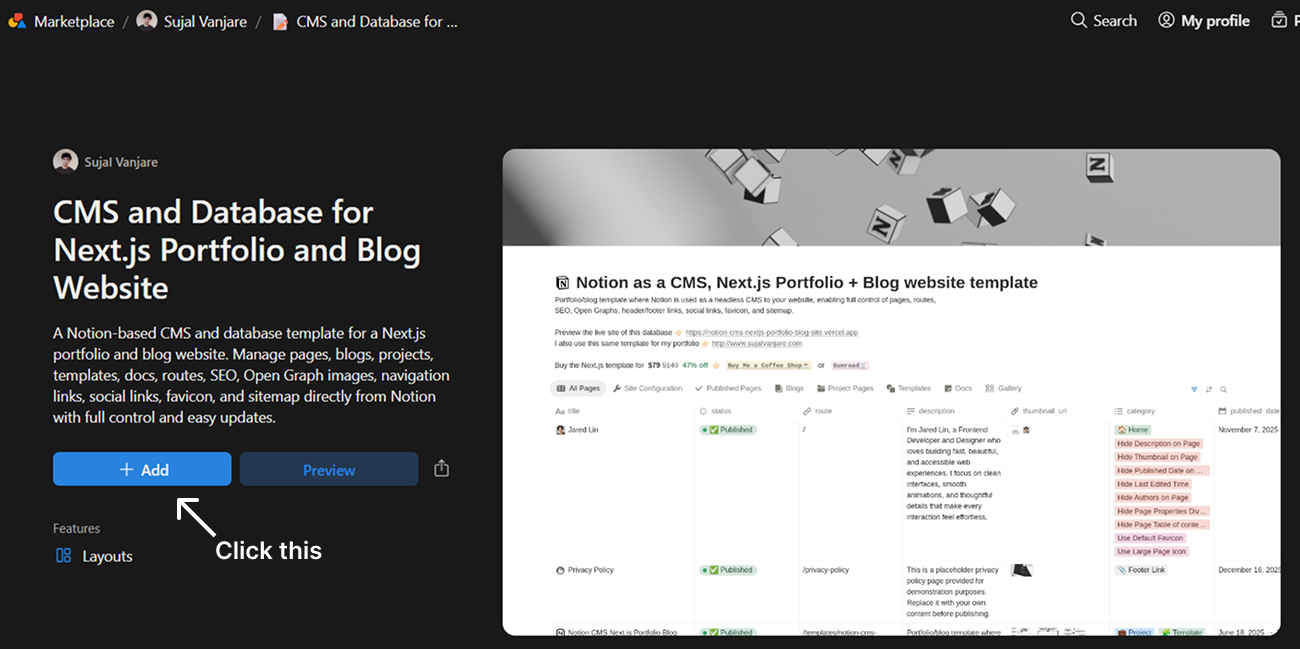
Step 2. Duplicate the Template in Notion
You can click either “+ Add” or “Preview.”
If you click “Add” directly, the template will be added immediately to your Notion account.
Step 3. Wait for Duplication to Complete
The duplication process usually takes a few seconds.
Once it finishes, you will see a confirmation message at the bottom-left corner of the screen that says
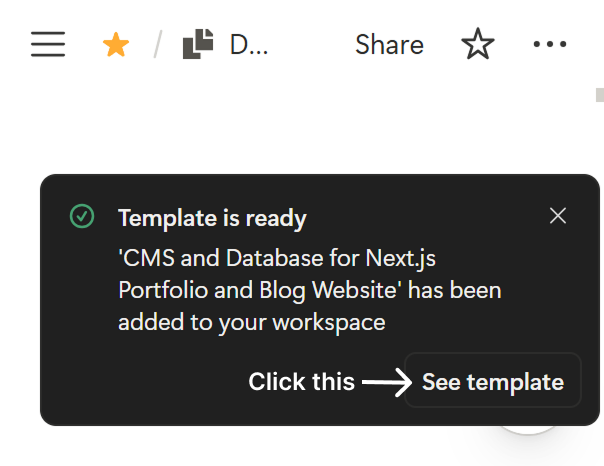
Template is ready
Inside that message, click the See template button.
Step 5. Open Your Template
You will now be redirected to your own copy of the template inside your Notion workspace.
This is your editable version. You can now start customizing it for your website.
Done
Your Notion database template is now successfully duplicated and ready to use.
 Back
Back